|
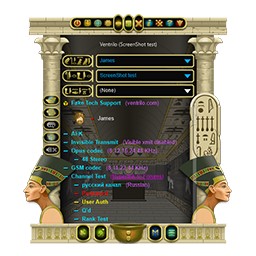
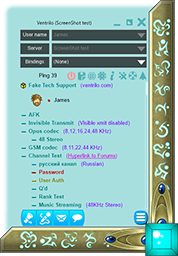
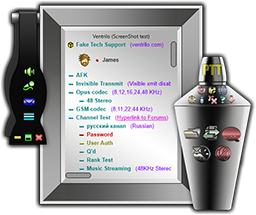
Version 4.0 introduces more User control of functionality while still maintaining the ease-of-use from previous versions, as well as many new features. The new version includes the ability to change the look-n-feel of the client window via Themes, and also the availability to transfer files to select Users. Side-Control-Panels for quick one-click access to many of the menu functions. And break-out Main/Channel windows.
All of these changes still keep the most commonly used features at your finger tips by means of a single click of the mouse. No need to navigate clunky multi-stage menu options just to send a comment to other Users.
Ventrilo uses a strict client-server based connection that is always encrypted. User data is never collected or stored, hence it can not be shared/sold to external entities. All text-chat communications/audio-recordings are stored locally on the Client computer.
Ventrilo Servers are hosted in secure data-centers located world-wide. The use of data-centers provides for security, power backup, sufficient internet bandwidth, and maximum uptime.
•Features•
- Voice communication with multiple Users and/or multiple servers.
- Configurable Cross-channel communications.
- Phantom Users for 'listening-only' on other channels.
- User-to-User private conversations, both voice and text.
- Individual channels that can be created dynamically.
- Channel 'Invisible-Transmit' option.
- Sub channels.
- Muted channels.
- Queued channels.
- Channel transmit time limits.
- Channel client limits.
- Channel feature filtering.
- Ranking option per-channel to limit which Users can transmit.
- Password protected server/channel login option.
- Advanced server/channel control options and filters.
- Individual Admin passwords for channels.
- Text-to-speech (TTS) voice generation.
- Key binding to execute special program functions, play wave files, send TTS messages plus more.
- Separate phonetic spelling of User and channel names for proper TTS.
- Built in chat similar to IRC, either per-server or per-channel.
- Users can enter dynamic comments or hyperlinks for all other Users to see.
- User assigned names for server connections. No need to remember IP numbers.
- Internet SRV record support. No need to know IPaddress or port#.
- Wave file or TTS event notifications for program events.
- Remote administration of server features and current Users.
- Remote administration of persistent server properties.
- Mute Microphone and Mute Sound with key binds for both.
- User adjustable sound effects.
- Persistent mute states for specific Users on a given server.
- Persistent channel Admin passwords.
- Persistent special effects including surround sound for Users, channels, servers, global.
- Built in server browser.
- Ability to record and playback voice streams.
- Voice-Activation or Push-To-Talk transmission modes.
- Ducking option for both Voice-Activation and PTT. Ducking allows system audio to be lowered when either transmitting and/or receiving in Ventrilo.
- Binds to change channels or cycle through all available channels.
- Multiple platform support for servers.
- Multiple platform support for clients.
- Ability to restrict Server Admin features. Useful for hosting services.
- Server and/or channel specified codecs to control voice quality and bandwidth usage.
- User customization of display modes.
- Graphic support for Logitech G15/G19 displays.
- Support for G-keys on Logitech Keyboards and G35/G930 Headsets.
- Separate audio device selection for voice, binds, and speech events for systems with multiple audio devices.
- Option to display song information from WMP, Winamp, iTunes, and Spotify(Macintosh).
- ...plus many more features
• Client Requirements •
Windows Platform:
Windows XP 32/64 bit or higher.
DirectX 9.0c or higher installed.
In order to function properly the Ventrilo client program requires a sound card that supports Full-Duplex sound playback and microphone recording. It also requires a sound card that is capable of handling multiple sound streams.
Please be aware that any number of things can effect proper operation of a voice communication program, such as the Operating System, microphone, sound card, sound card drivers, or hardware conflicts.
Macintosh Platform:
OSX 10.7 or higher
|