
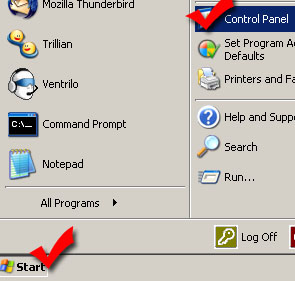
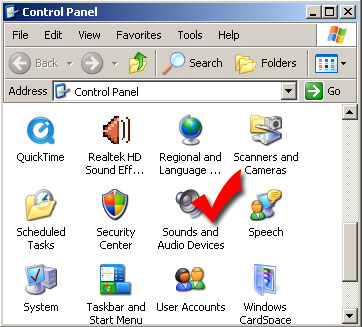
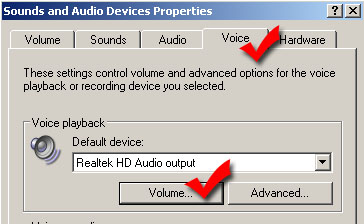
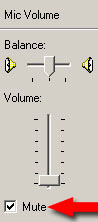
How to mute microphone playback in Windows XP
Still stuck? Open a trouble ticket at https://cp.light-speed.com/trouble-tickets.php or see all Ventrilo Server guides. |
© Copyright 2004-2026 LightSpeed Gaming LLC
Ventrilo is a Trademark of LightSpeed Gaming LLC.
Try GameVox — next-gen voice chat for gamers (open beta)